contrack
6 min read
GitHub · Try in GitHub Codespaces · Docker Package
What you're missing
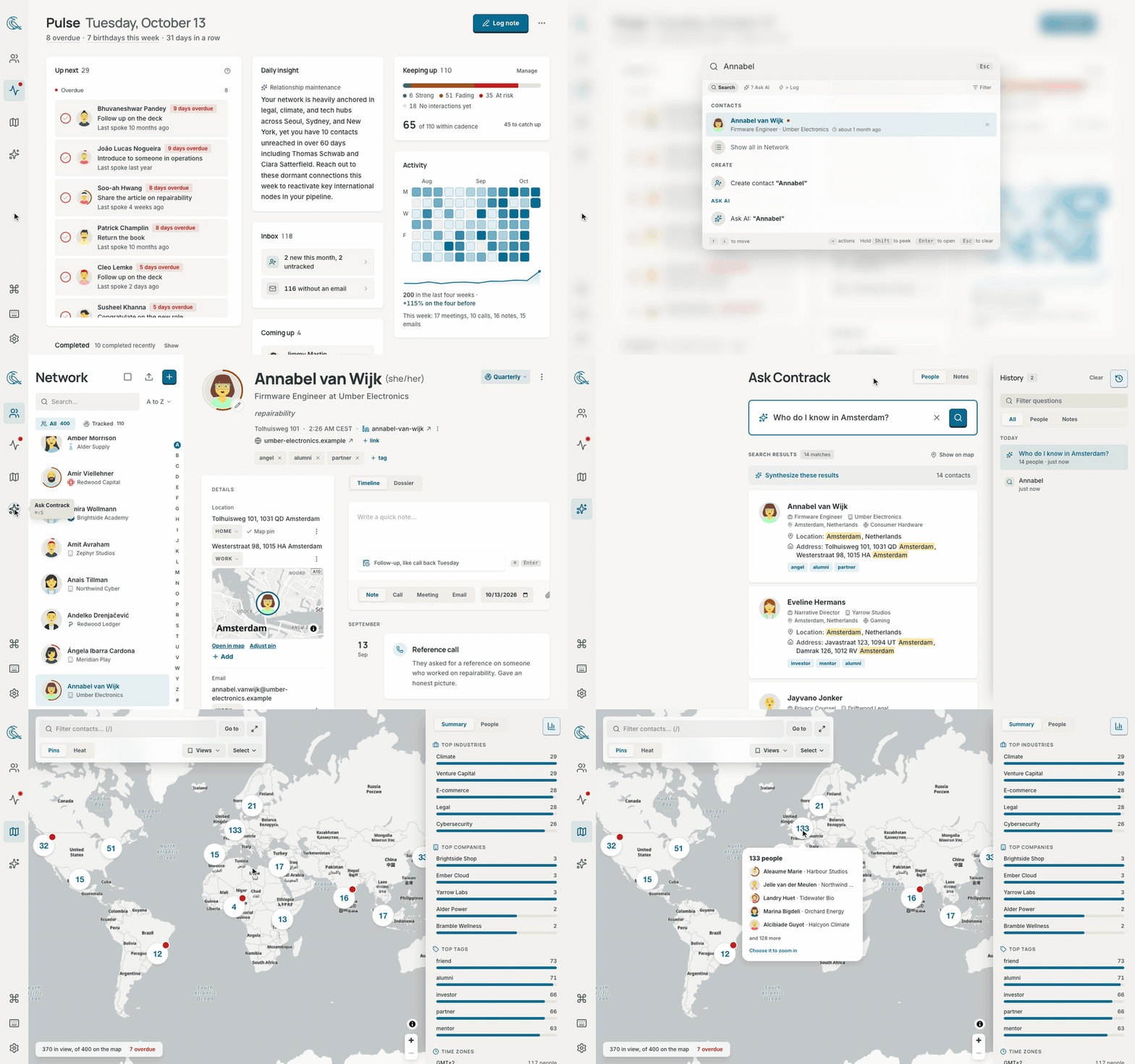
You have contacts on your iPhone. Contacts in LinkedIn. Even some niche ones on your Google or Facebook accounts. None of these contacts have that much information, they overlap constantly, and there's no good way to visually see where everyone is or remember to keep in touch with them.
When every app asks for access to your address book, it doesn't really feel like you own your network — and even when you meticulously update your private Apple contacts, there's no built-in way to keep building the relationship over time.
Why you need this
Contrack is an open-source, self-hosted personal CRM that gives you the tools to own and manage your network on your own hardware, built around a simple 4-step workflow:
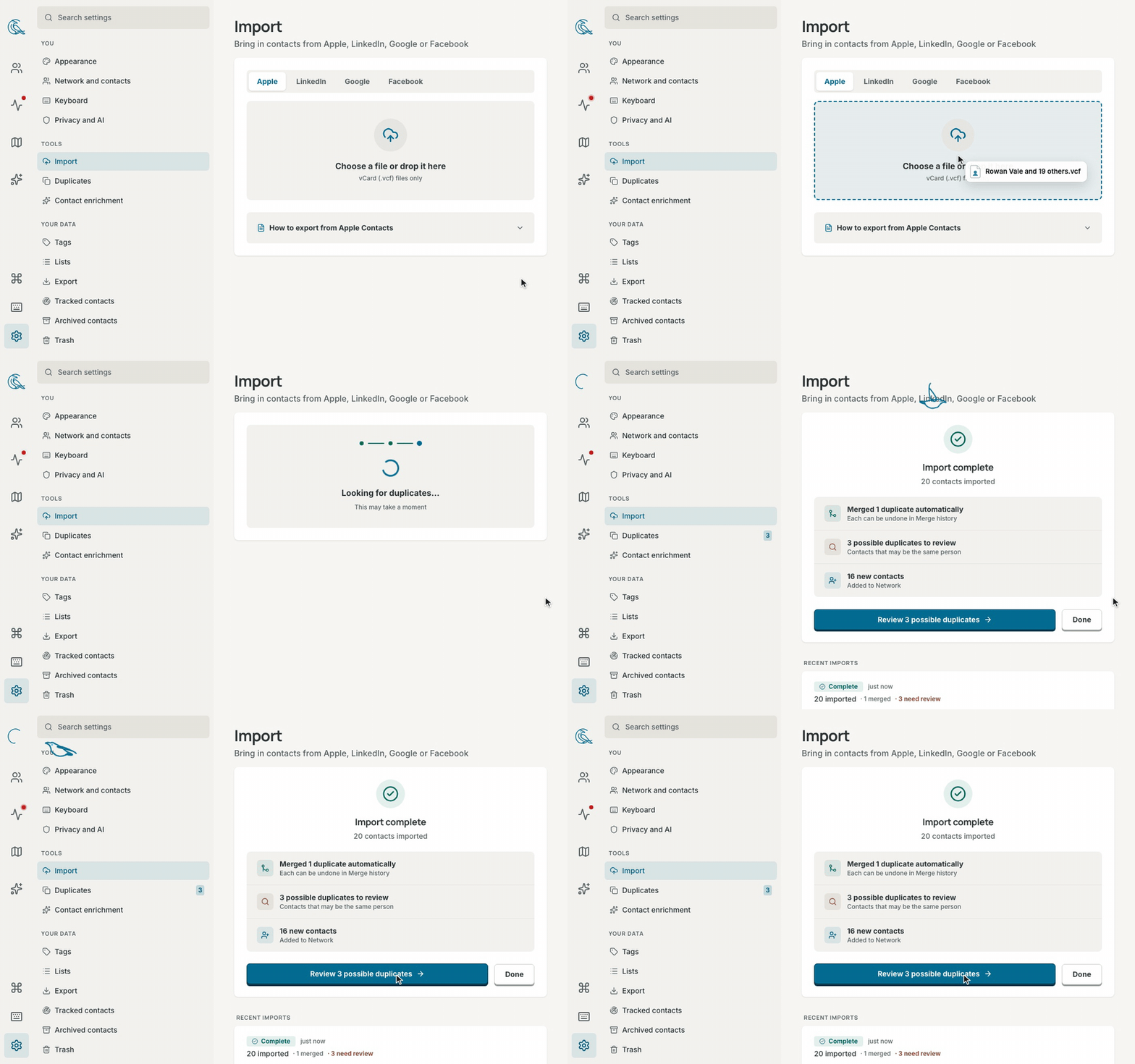
1. Import — Everyone, from everywhere
Drop in your contacts from Apple, Google, LinkedIn, or Facebook. Connect your calendar or inbox, and past conversations and meetings appear right on each person's timeline.
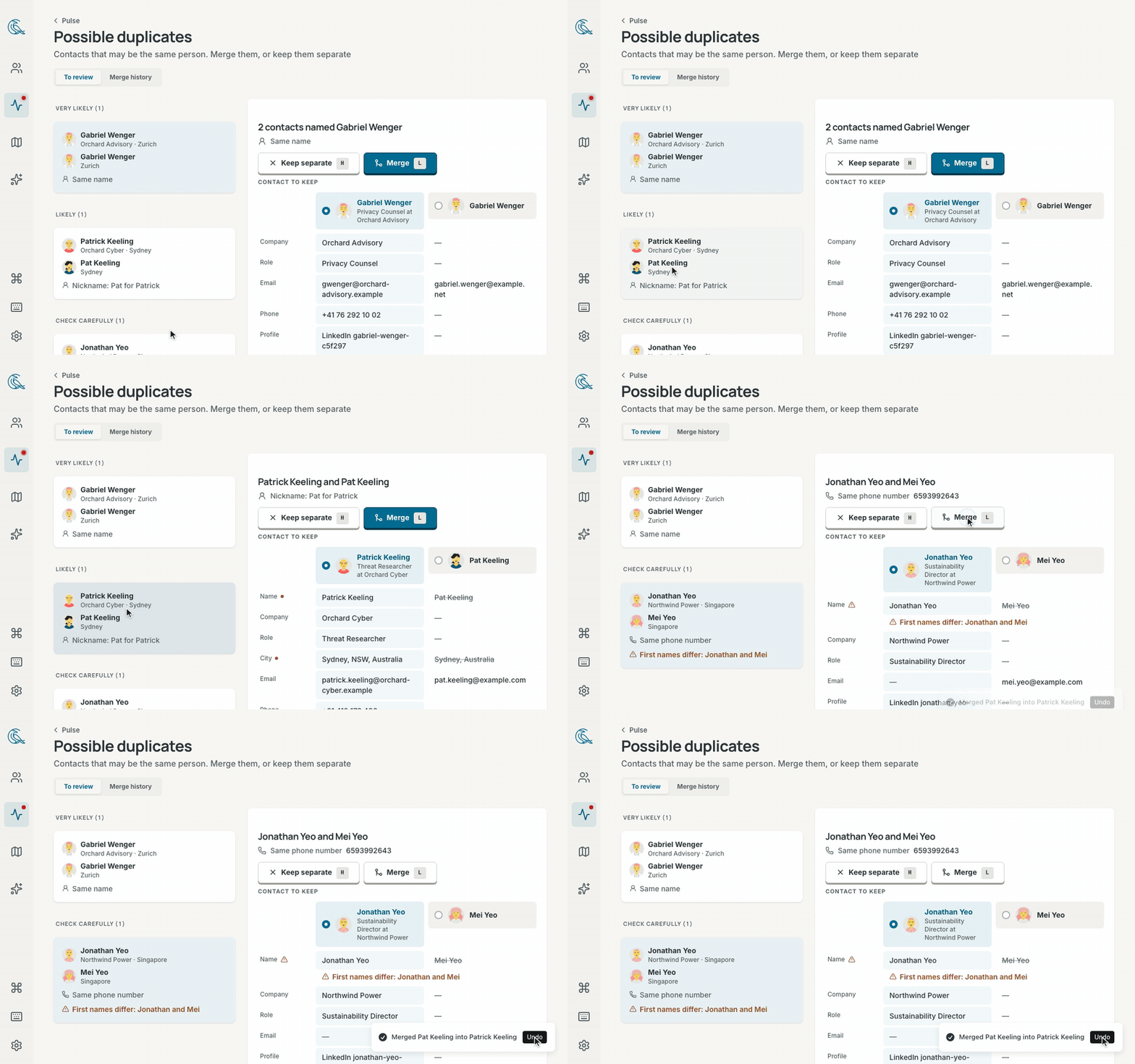
2. Dedupe — One person, one clean story
The same friend from three address books becomes a single profile. Contrack merges the obvious matches automatically and lets you review the rest side by side, with a 90-day undo if you ever change your mind.
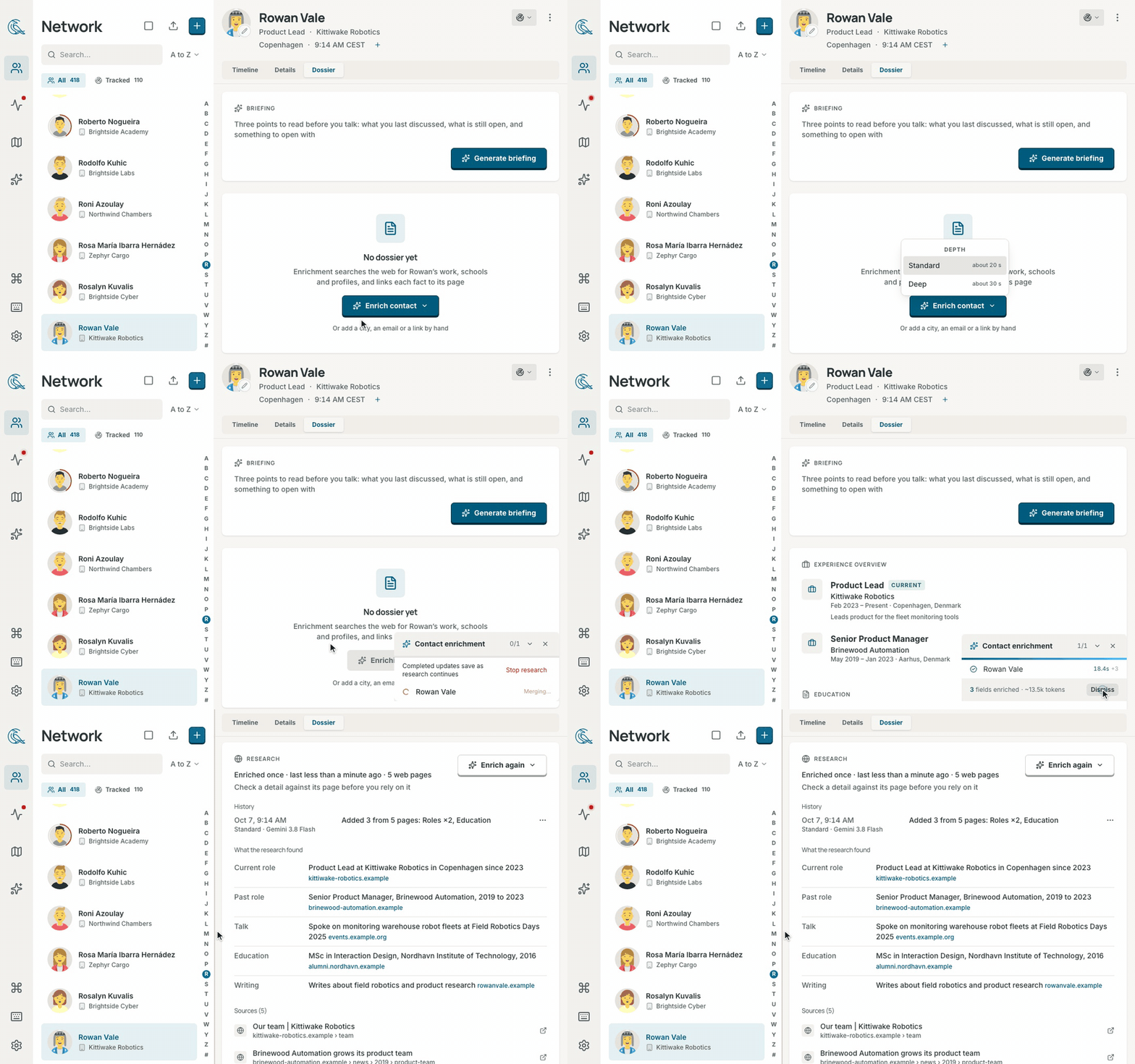
3. Enrich — All the context you never had time to type
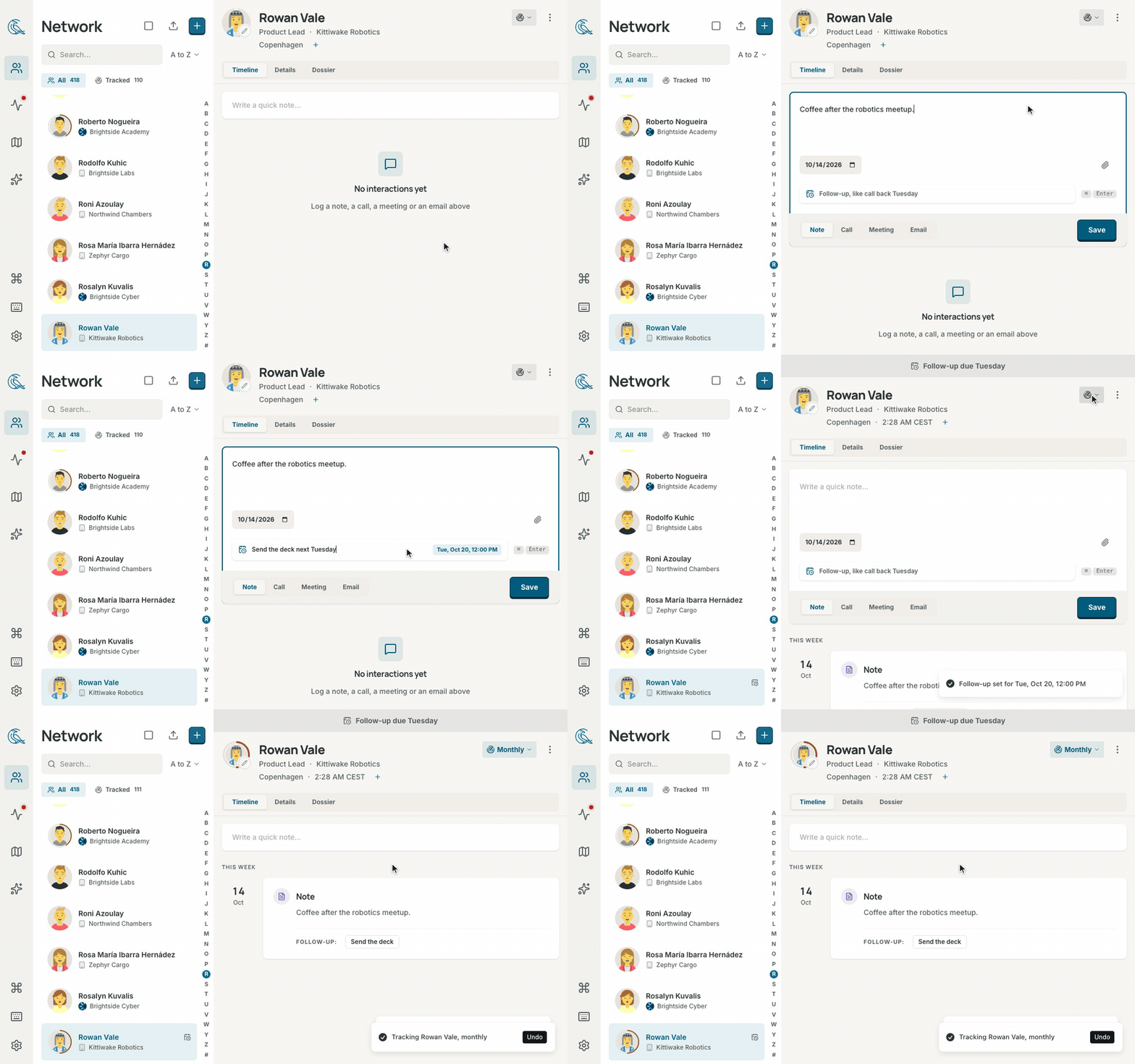
Paste a quick note like "Met at Sarah's wedding, loves natural wine, kids are Leo and Maya, catch up every quarter" or "Partner at Sequoia, follow up next Tuesday on seed round", and Contrack turns it into a complete profile with dates, tags, and reminders — or let web research fill in roles and links with cited sources.
4. Track — Never let someone important drift away
Write a note in plain language and "next Tuesday" becomes a reminder automatically. Set how often you want to stay in touch, and each morning Contrack gently shows who is due and whose birthday or milestone is coming up.
Highlights
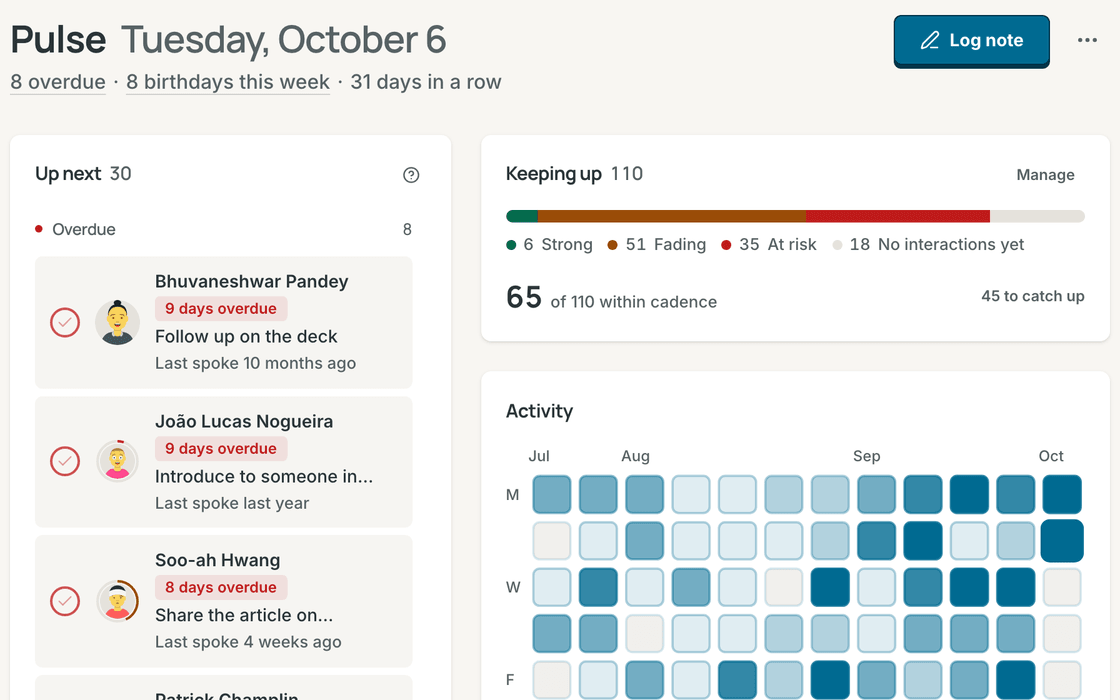
Pulse
Your calm morning briefing. See the follow-ups due today, friends and colleagues you haven't spoken with in a while, and upcoming birthdays and milestones.
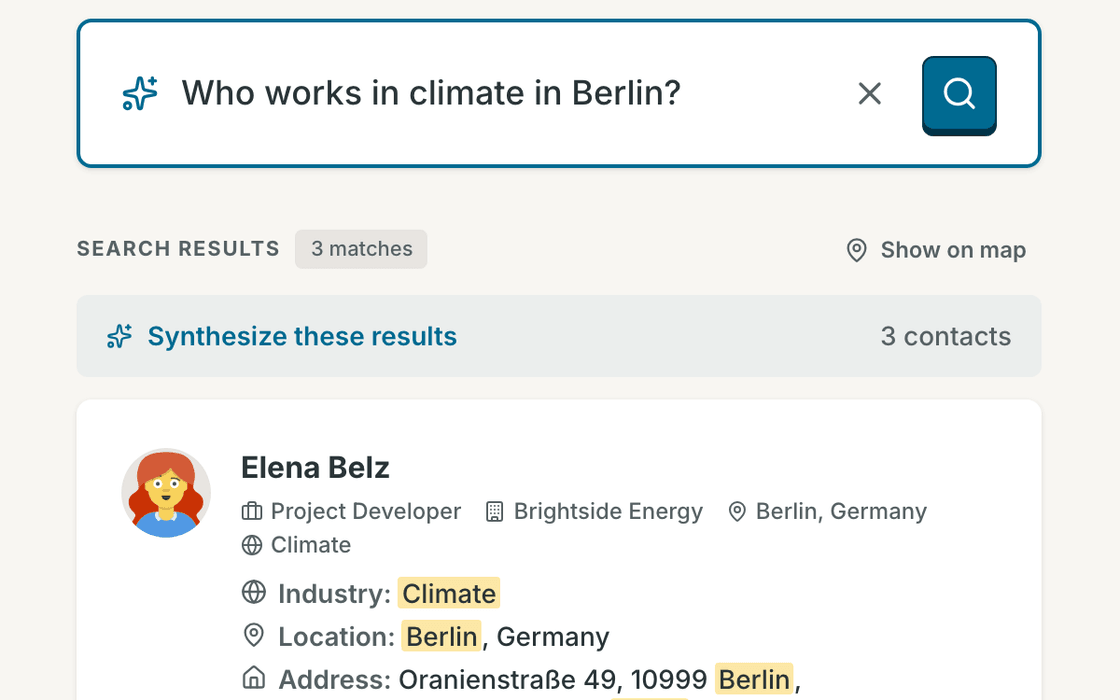
Ask Contrack
Ask in plain words, like “Who do I know in Lisbon?” or “Who loves natural wine?” Answers come straight from your own contacts and notes, searched privately on your machine.
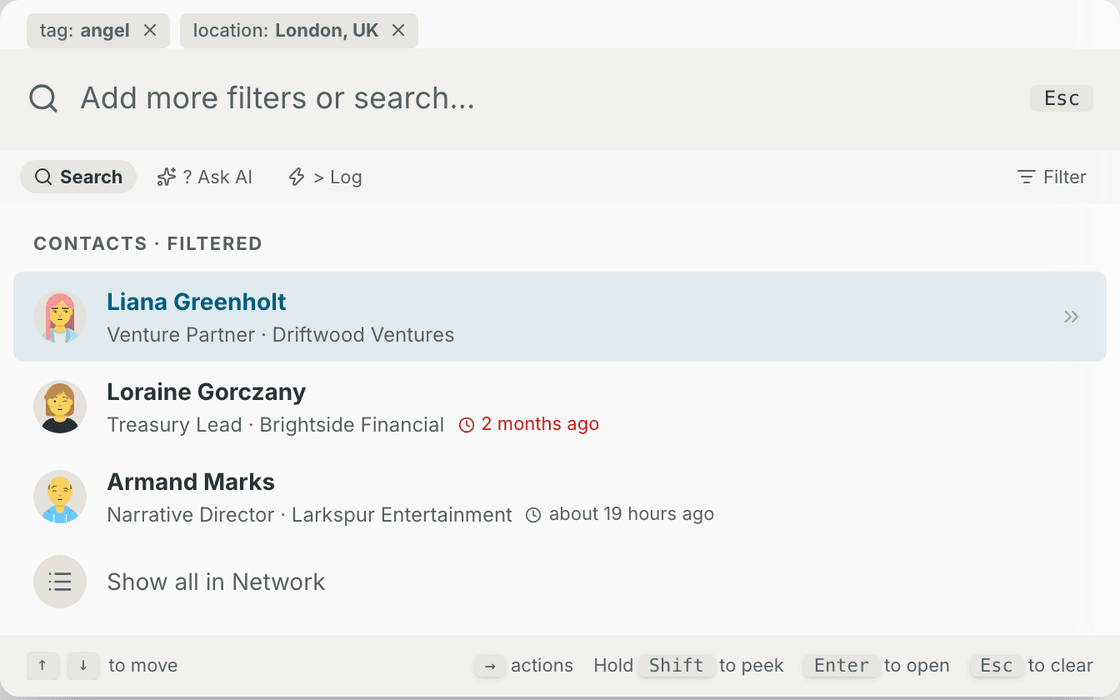
Command palette
Press Cmd+K to jump to anyone, filter by company or tag, or log a quick note without ever lifting your hands from the keyboard.
Map
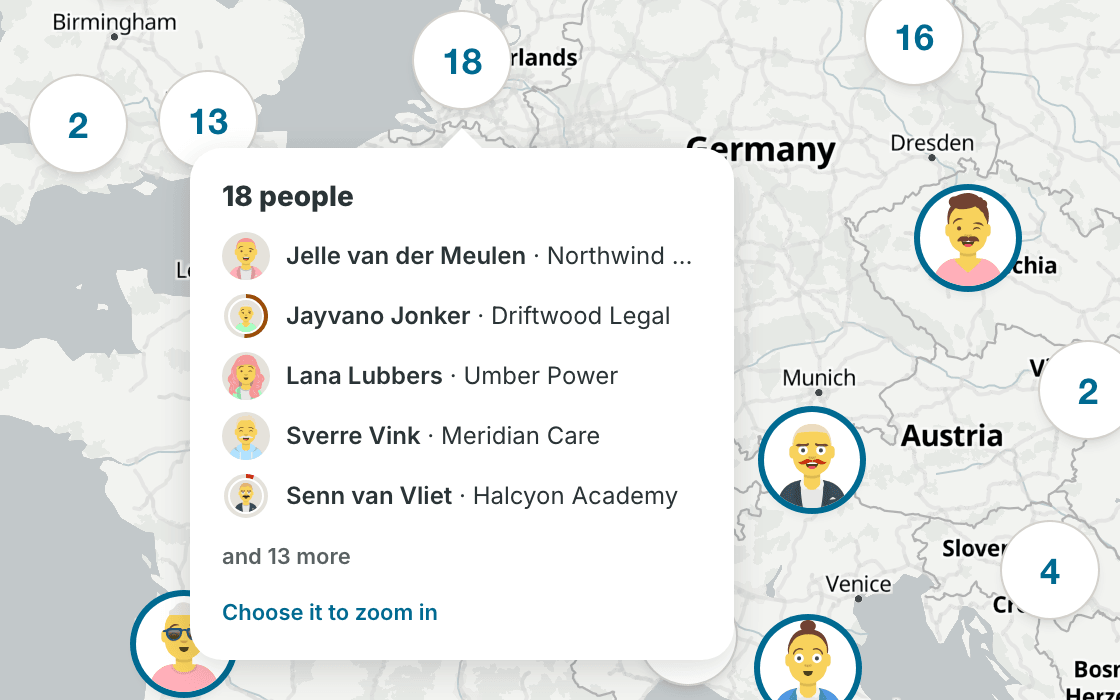
Planning a trip? See everyone you know in a city at a glance. Draw a loop around a neighborhood to select everyone there and add them to a dinner list.
Multiple profiles, one home
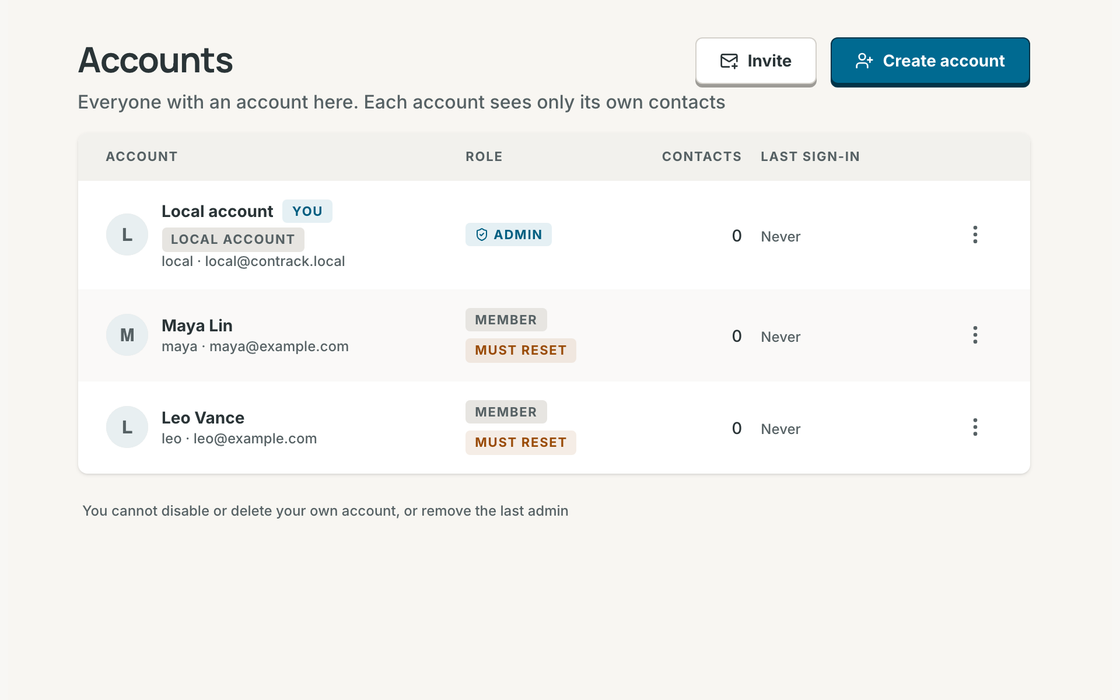
Run one Contrack for your family or team. Invite someone with a link or create their profile in seconds — every person gets their own private address book, notes, and reminders.
Verified backups
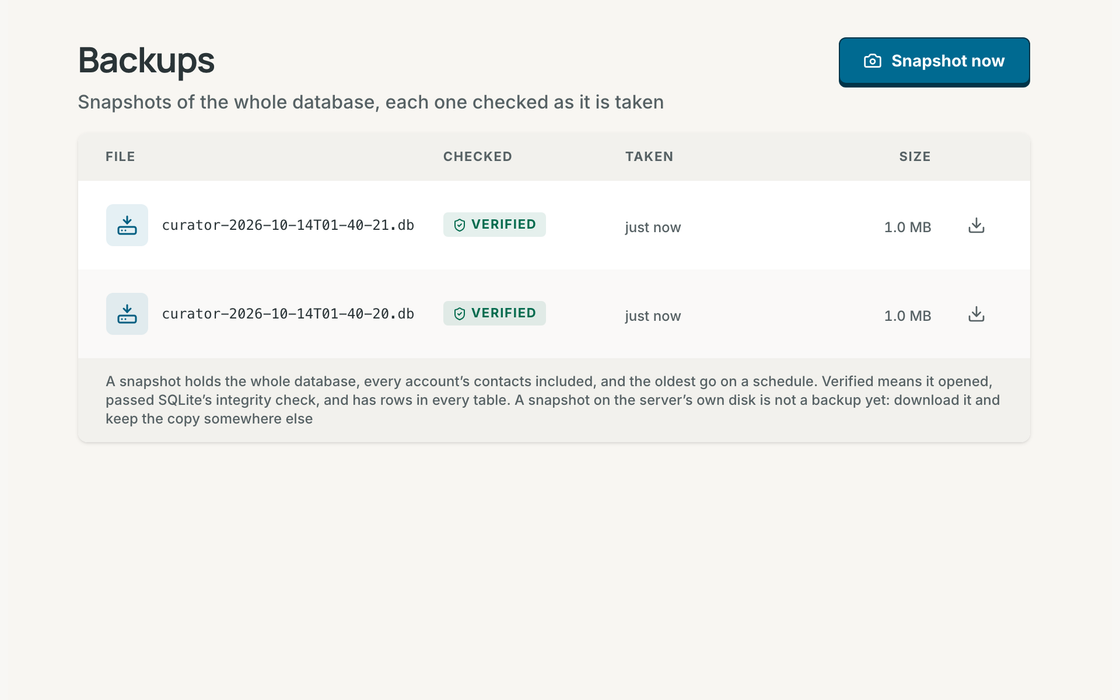
Your history is irreplaceable. Take a complete, integrity-checked snapshot of your address book in one click, or let Contrack back itself up automatically on your schedule.
Works with your AI assistant
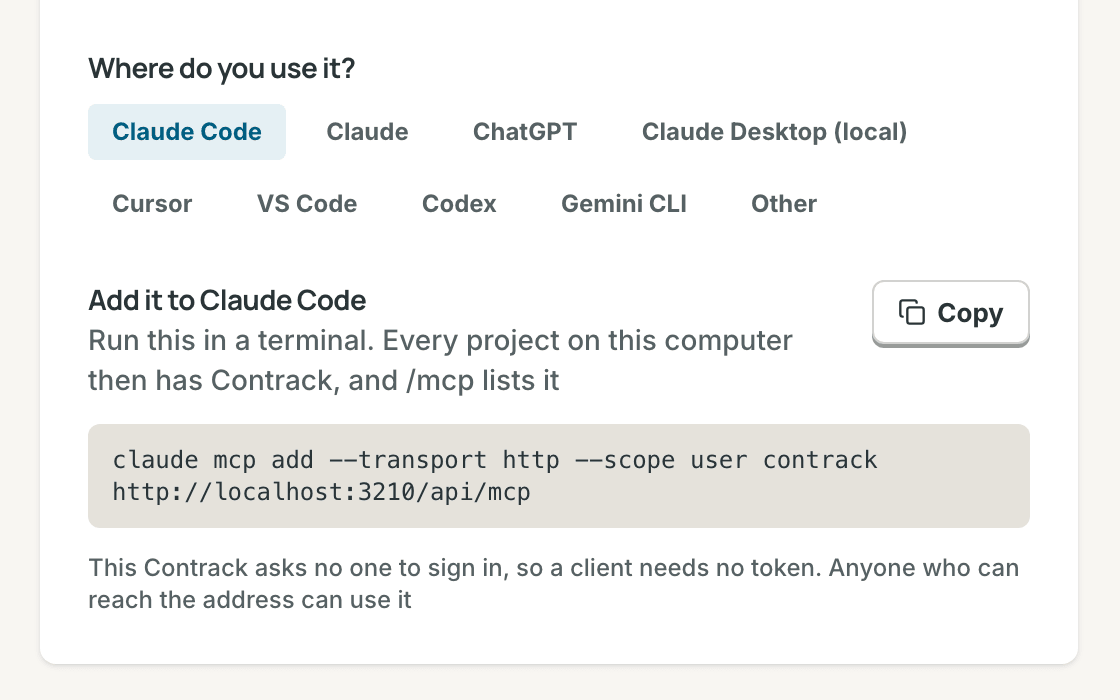
Connect Claude, ChatGPT, or Cursor in one click via the built-in MCP server so your favorite assistant can look up context and log notes for you, with read-only access whenever you prefer.
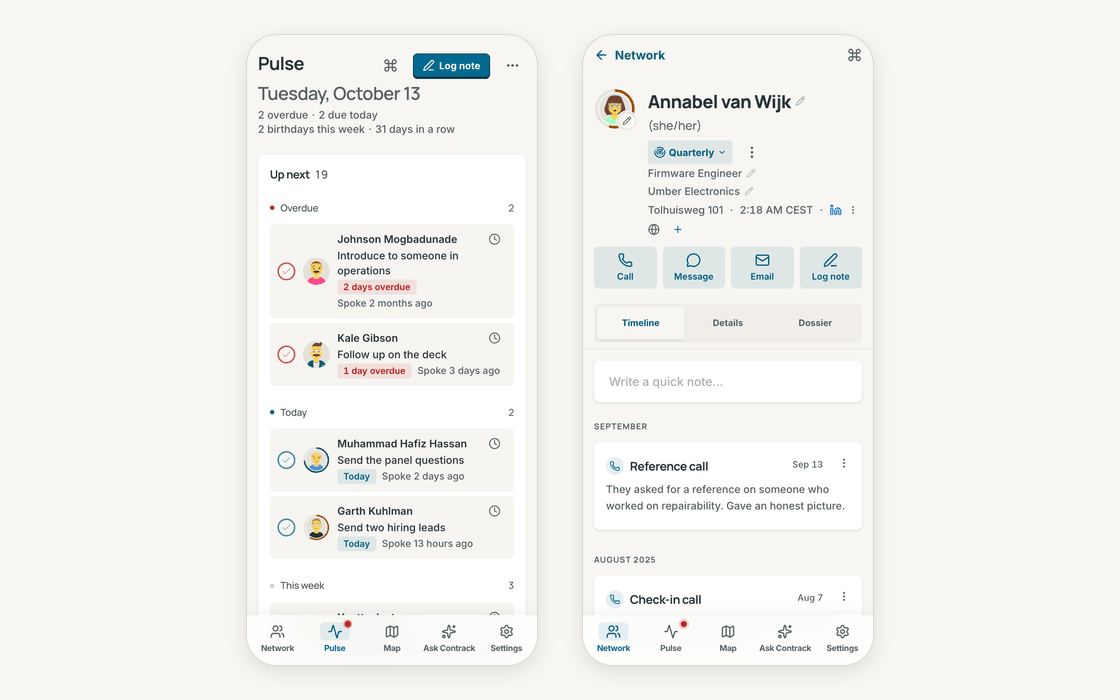
Right in your pocket
Add Contrack to your phone's home screen. Before you walk into coffee or a meeting, every note and detail is one tap away.
Privacy isn't a setting — it's the foundation. Contrack lives on your own computer or home server in a single SQLite file. Semantic search runs locally on your device with no API key required, and when you want AI to research a contact or parse a note, you bring the model you trust (Gemini, OpenAI, Anthropic, or a local Ollama endpoint) — or use none at all.
How do I get this?
Try it in your browser

Open a live demo in your browser preloaded with 400 fictional people, with no installation and no API key needed.
Run in a minute with Docker (recommended)
Run the prebuilt multi-arch image (linux/amd64 and linux/arm64) with a single command:
1docker run -d --name contrack -p 127.0.0.1:3210:3210 \2 -v contrack-data:/app/data ghcr.io/arvarik/contrack:latestThen open http://localhost:3210. There is no cloud account to sign up for and no API key required — your SQLite database, backups, and uploads stay inside contrack-data. Whenever you want AI features, connect a key or local endpoint in Settings → Administration → AI.
Or with Docker Compose:
1services:2  contrack:3    image: ghcr.io/arvarik/contrack:latest4    container_name: contrack5    restart: unless-stopped6    ports:7      - "127.0.0.1:3210:3210"8    volumes:9      - contrack-data:/app/data10    environment:11      - AUTH_REQUIRED=false # Set to true before exposing beyond localhost12
13volumes:14  contrack-data:
From source
With Node.js 26.10 or later:
1git clone https://github.com/arvarik/contrack.git && cd contrack2npm install3npm run devTo populate a fresh local database with the 400-person fictional demo network, run:
1npm run db:enrich -- --apply --count 400 --tag demo